


.png)
Why Homecare Pro Exists: Filling WellSky’s HR Automation & Credentialing Gap
WellSky Personal Care is a care delivery system - not an onboarding or compliance engine
WellSky was designed from the ground up for:
- Scheduling
- Client-caregiver matching
- Visit verification
- Timekeeping
- Billing
It was not designed to provide HR automation, nor to be a compliance tool. As a result:
- Applicant tracking is minimal
- Onboarding workflows must be managed manually
- Credential statuses aren’t monitored automatically
- Caregiver compliance isn’t calculated
- Document storage is static, not structured
- Caregivers cannot self-serve their HR tasks
Homecare Pro fills this gap, automating these aspects of running a home care agency that WellSky does not automate - and pushing the right data, documents, and updates back into WellSky automatically.
How Homecare Pro Complements WellSky Personal Care
1. Mobile-Friendly Application & Applicant Creation
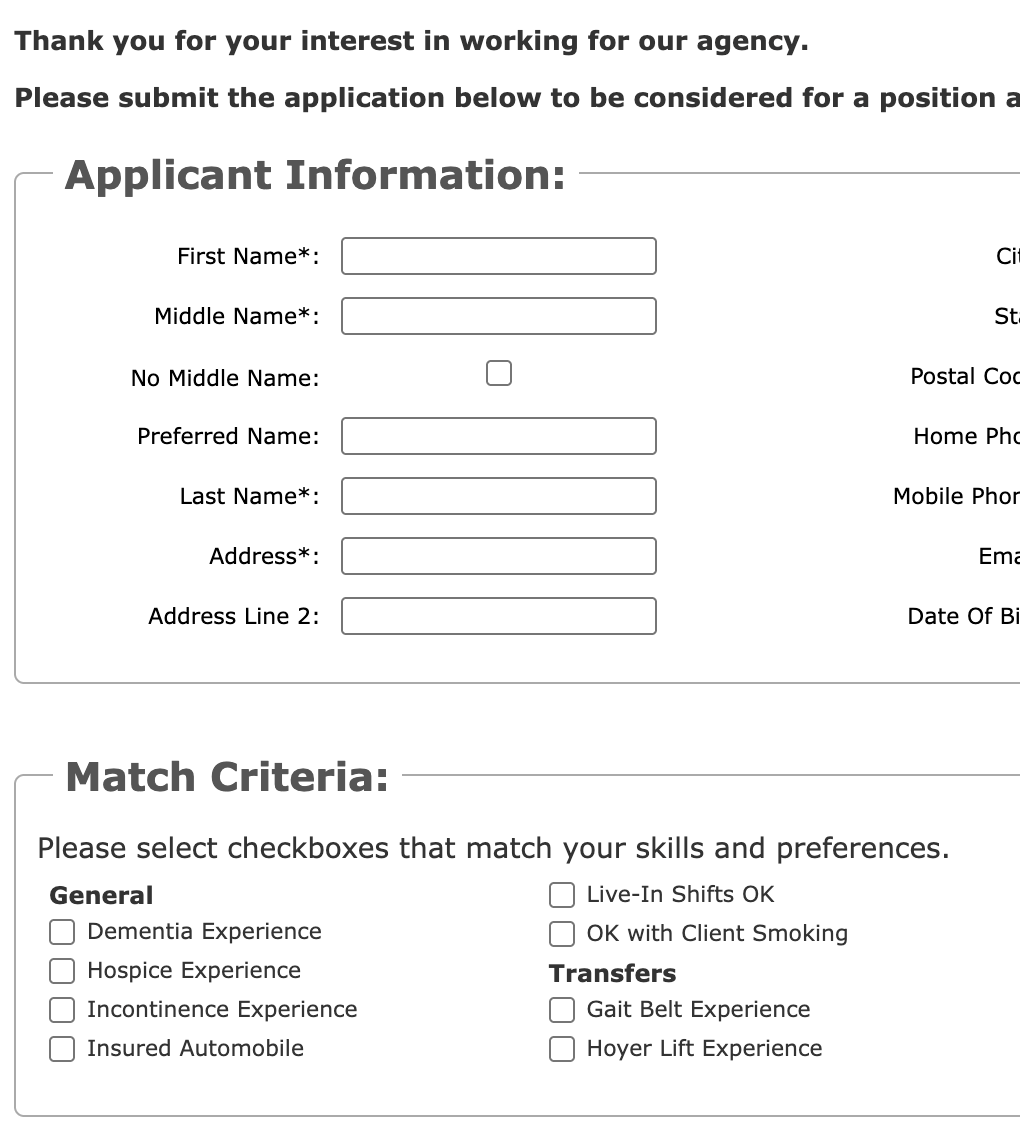
Where WellSky falls short
WellSky offers custom application forms, but:
- They aren’t mobile-friendly
- They’re long (5+ pages)
- Applicants must complete the entire form in one sitting
- Progress cannot be saved
Because caregivers struggle to complete these forms, most managers end up manually creating applicant profiles inside WellSky.
How Homecare Pro complements WellSky
- Homecare Pro is mobile-first and optimized for the way caregivers actually work - on their phones.
- Caregivers complete onboarding in short, saved steps.
- Once complete, Homecare Pro automatically creates the applicant profile in WellSky, eliminating manual entry.
Result: Homecare Pro collects information from caregivers and creates profiles in WellSky. Managers still get the applicant’s profile in WellSky, but they didn’t have to create it.
2. Onboarding Status Automation
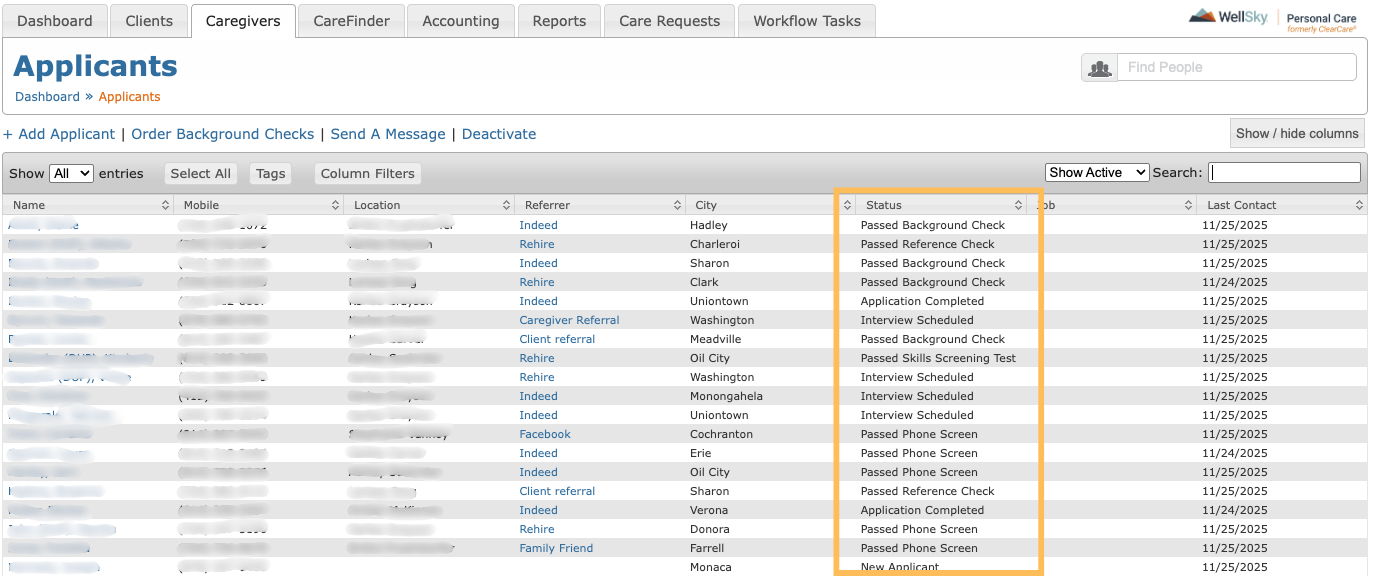
Where WellSky falls short
- You can assign a status to each applicant (e.g., “Interview Scheduled,” “Passed Phone Screen”).
- But there is no onboarding workflow automation, meaning:
- No automated tasks
- No reminders
- No credential collection
- No self-service for caregivers
- No status automation
- Managers must manually move caregivers through each step.
How Homecare Pro complements WellSky
Once the decision to hire a caregiver is made, Homecare Pro automates every onboarding activity:
- Credentials
- Forms
- E-signatures
- CE requirements
- Registry checks
- References
- Training
- Orientation readiness
As caregivers complete steps, Homecare Pro:
- Updates onboarding status
- Notifies managers when needed
- Pushes data back into WellSky
Result:
Managers don’t chase paperwork. Caregivers self-serve onboarding until they are fully complete and ready for orientation and scheduling.
3. True HR Compliance Tracking
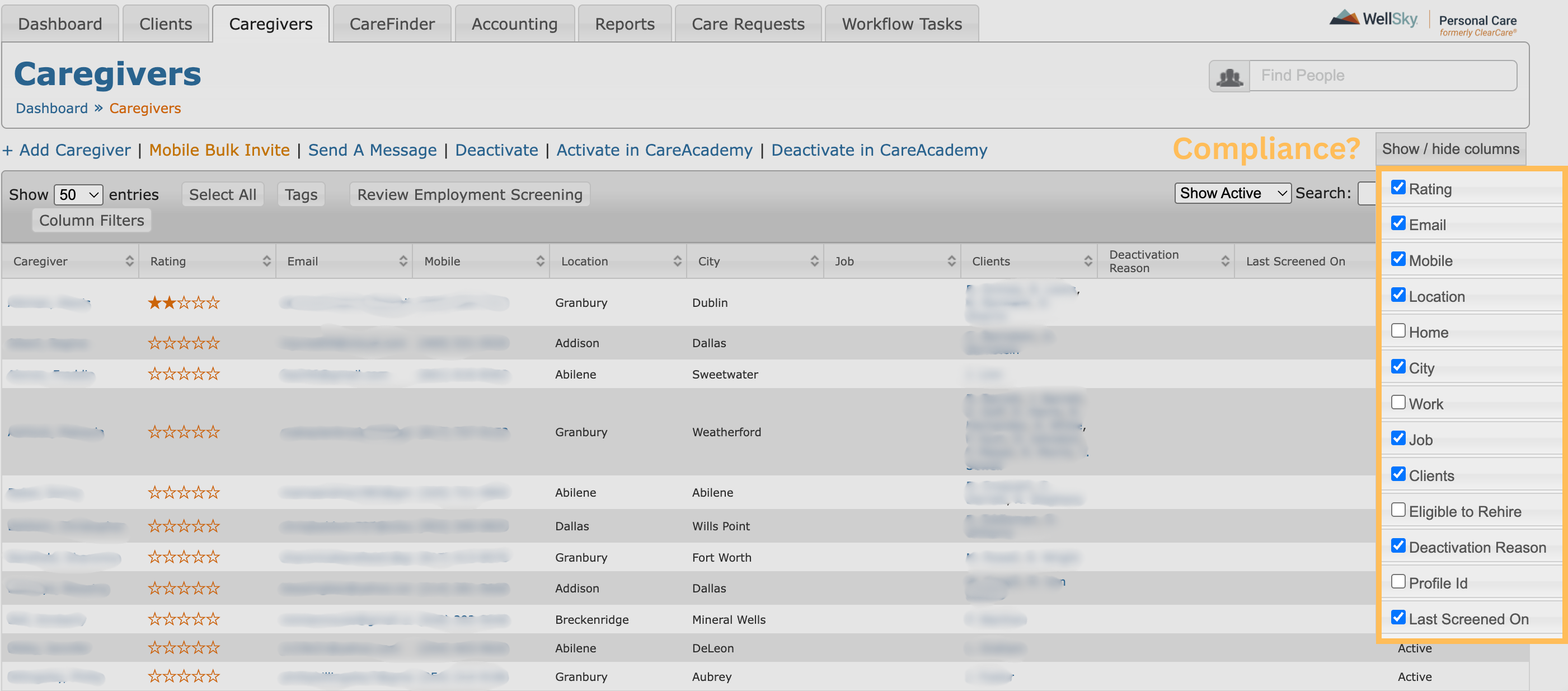
Where WellSky falls short
- WellSky does not have a concept of HR compliance.
- Credential tracking is optional, manual, and limited.
- Compliance status does not inform scheduling.
- Managers must maintain an external spreadsheet - or guess.
How Homecare Pro complements WellSky
Homecare Pro is built as a compliance tool.
- Every caregiver is monitored for compliance based on their unique requirements
- Automated alerts notify managers if someone becomes non-compliant
- Compliance status is visible in real-time
Result:
Managers always know who is compliant and who can be scheduled safely - something WellSky does not provide on its own.
4. Expiration Reminders, Validation, and Caregiver Self-Service

Where WellSky falls short
- The Skills/Certifications tab requires managers to manually:
- Input expirations so they can be tracked
- Follow up with caregivers to receive documents
- Collect and verify files
- Update the record when a file is renewed
- “Active” checkboxes can be unchecked accidentally, meaning that a credential could accidentally go untracked.
- Caregivers cannot take action directly from alerts.
- No audit trail exists for proof of completion.
How Homecare Pro complements WellSky
Homecare Pro:
- Maps requirements to each role
- Tracks every expiration
- Alerts caregivers and managers automatically
- Lets caregivers upload/upskill on their own
- Verifies every document (with proof attached)
- Automatically updates WellSky
- Provides a complete audit trail with history, timestamps, and proof of completion for each requirement
Result:
Managers never have to manually chase, collect, upload, verify, or update a credential again.
5.Organized, Searchable Document Storage
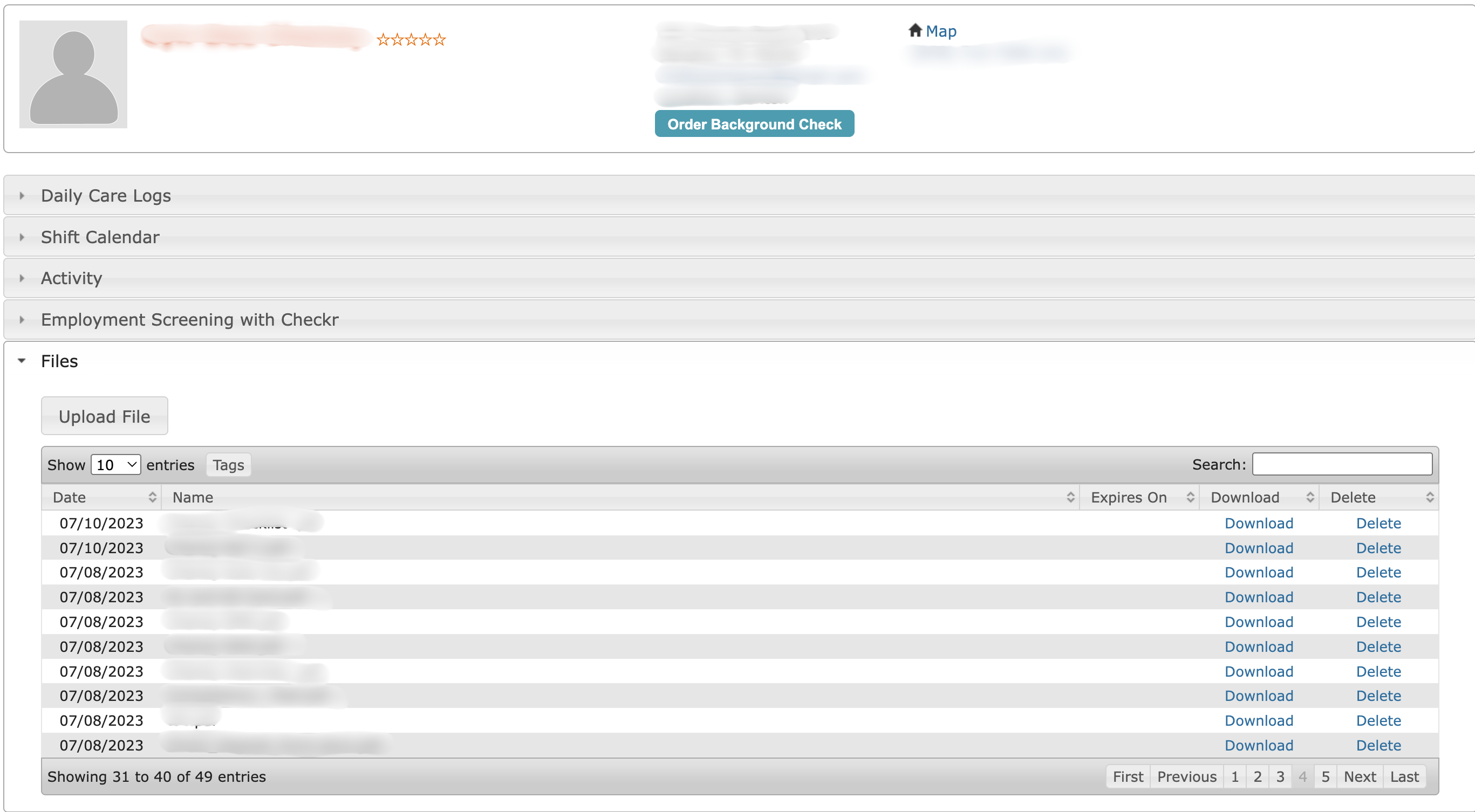
Where WellSky falls short
- Files exist only inside each caregiver’s profile.
- They cannot be searched or filtered across the workforce.
- Files must be downloaded to be viewed.
- Nothing is tied to a specific compliance requirement.
- Managers must manually determine what’s missing.
How Homecare Pro complements WellSky
Homecare Pro creates a single source of truth for all HR documents:
- Searchable document archive
- Files tied to compliance requirements
- Automatic validation
- Automatic uploads to:
- WellSky
- SharePoint
- Google Drive
- Other file systems your agency uses
- Redundant backup system for audit readiness
Result: Managers can always search and view files - and will always know exactly what documents are complete, missing, or expired, without digging through individual WellSky profiles.
Summary: Homecare Pro + WellSky Personal Care = HR Automation for Home Care Agencies
WellSky Personal Care is the industry’s leading scheduling and care delivery tool. Homecare Pro is the HR compliance engine that WellSky never intended to build.
Together, they create a complete operational system:
Bottom line:
Agencies keep using WellSky as their operational hub—but Homecare Pro handles everything WellSky does not automate, helping agencies hire faster, stay audit-ready, and grow without adding administrative burden.