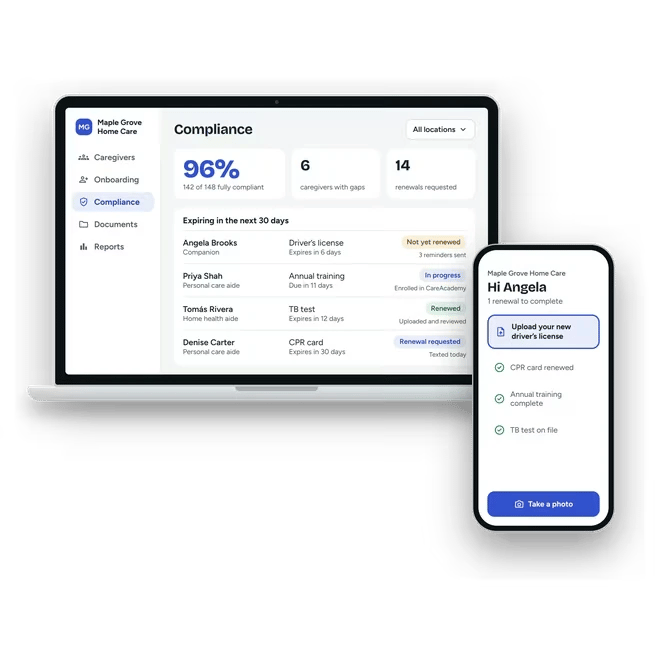
Homecare Pro API and MCP server
Build on Homecare Pro’s onboarding and compliance. The API lets your platform bring Homecare Pro onboarding and HR compliance to your customers, and the MCP server lets AI assistants work with an agency’s caregiver and compliance data.
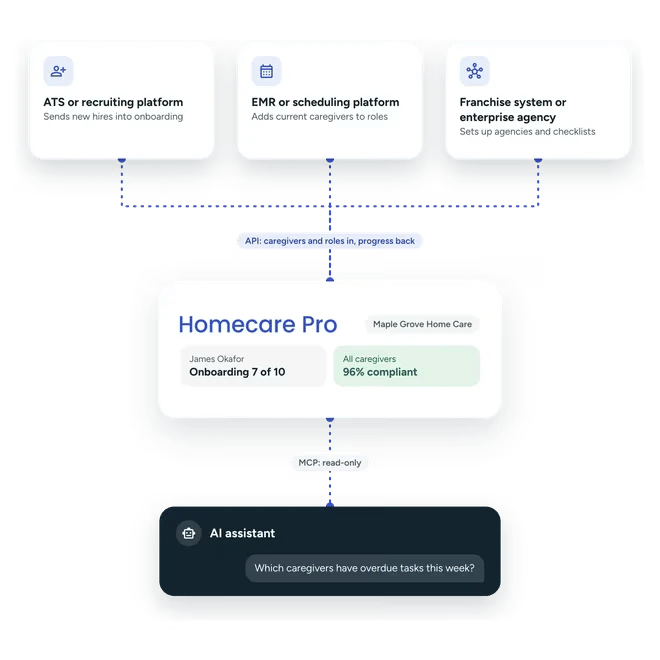
Connect your platform or your AI assistant
API
For ATS, recruiting, EMR, AMS, and scheduling platforms, franchise systems, and enterprise agencies that bring Homecare Pro onboarding and HR compliance into their own systems.
MCP server
For AI assistants that look up caregivers, task status, and compliance across your agency, with read-only access.
From your platform to a caregiver ready to work
Set up agencies and roles
Your platform creates each agency in Homecare Pro, builds its onboarding and compliance checklist, and groups the checklist into roles, one per job.
Add caregivers
Your platform adds new hires and current caregivers to roles, which starts their onboarding or ongoing compliance.
Homecare Pro runs onboarding and compliance
Homecare Pro creates each caregiver’s tasks, reminds and follows up with them, reviews what they provide, renews credentials before they expire, and reports progress back to your platform.
Caregiver onboarding inside your platform
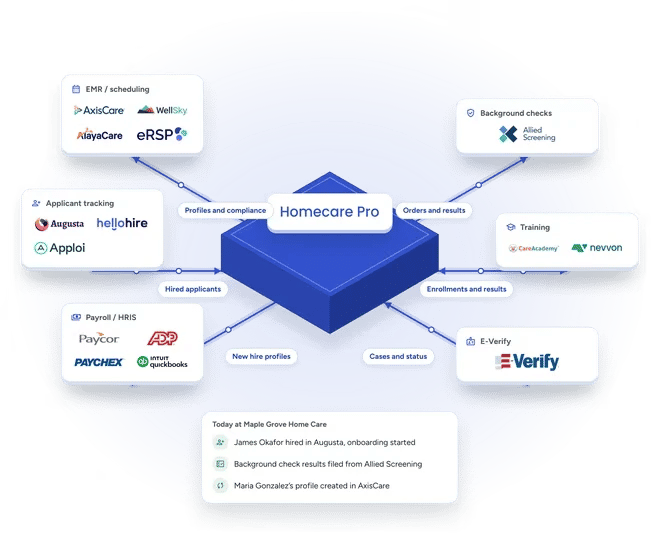
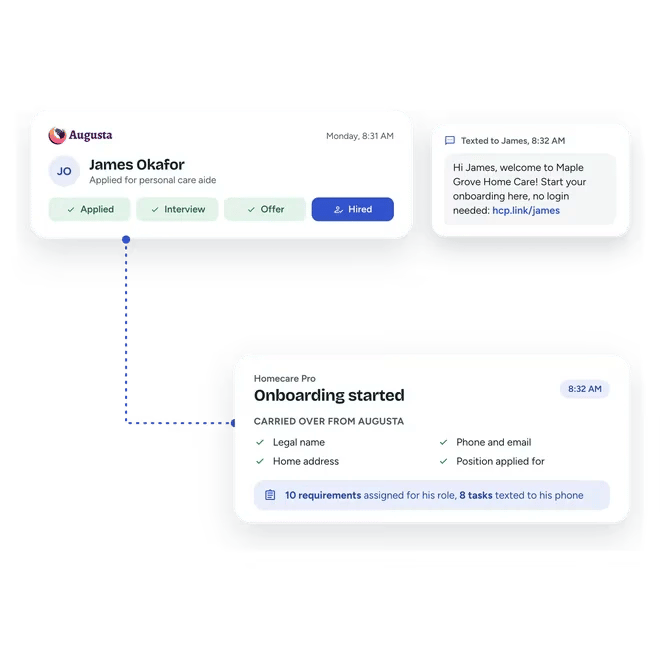
Homecare Pro does the onboarding work behind your product: creating each new hire’s tasks, reminding and following up with them, reviewing what they provide, and syncing with each agency’s EMR. Your platform reads each new hire’s tasks and documents to track progress, and agencies already on Homecare Pro can be linked to your platform with their consent.
- Agencies, checklists, roles, and new hires created through the API
- Progress read back into your platform
- Existing customers linked with their consent
HR compliance inside your platform
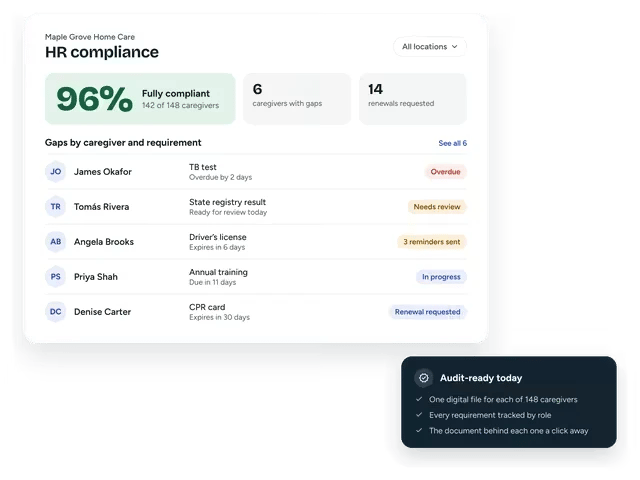
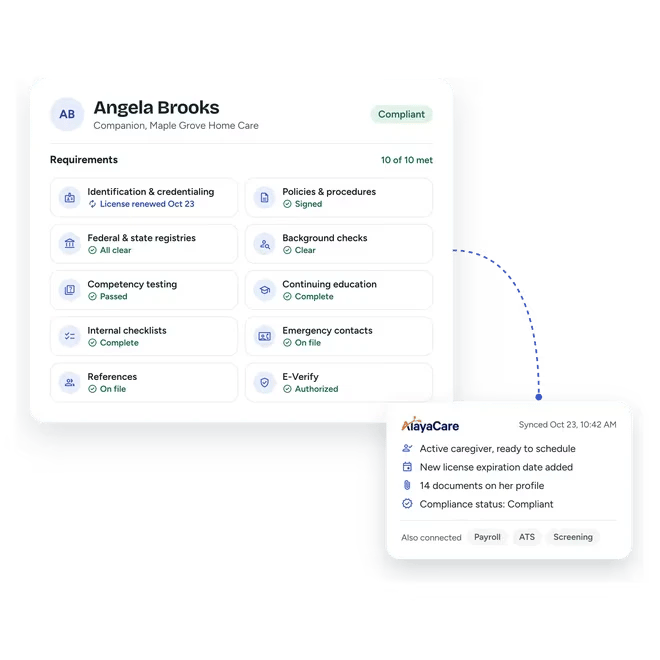
Homecare Pro does the compliance work behind your product: tracking every requirement by role, renewing credentials before they expire, running registry checks, following up with caregivers, and more. Your platform reads each caregiver’s tasks and documents, so your agency customers see which caregivers are compliant and ready to work without leaving your product.
- Every requirement tracked by role
- Credentials renewed before they expire
- Compliance status read back into your platform
Ask an AI assistant about your caregivers and compliance
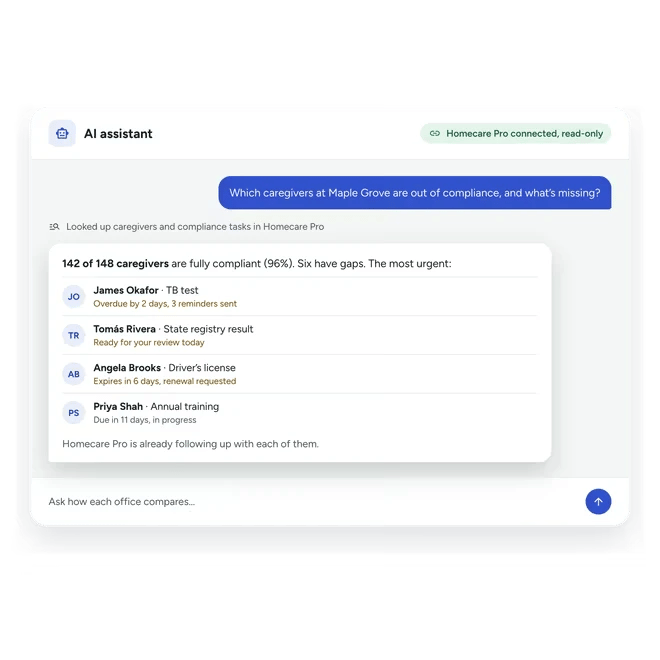
Homecare Pro’s MCP server gives AI assistants read-only access to your agency’s caregivers, onboarding and compliance tasks, task templates, and documents. A manager can ask which caregivers are out of compliance, which tasks are overdue, or how each office’s compliance compares, and get an answer from live Homecare Pro data.
- Caregiver status and compliance
- Overdue and incomplete tasks
- Compliance by office
Related pages
Integrations
Homecare Pro connects to your EMR, payroll, ATS, and screening tools.
ATS integrations
Caregivers hired in Augusta, HelloHire, or Apploi move straight into Homecare Pro onboarding.
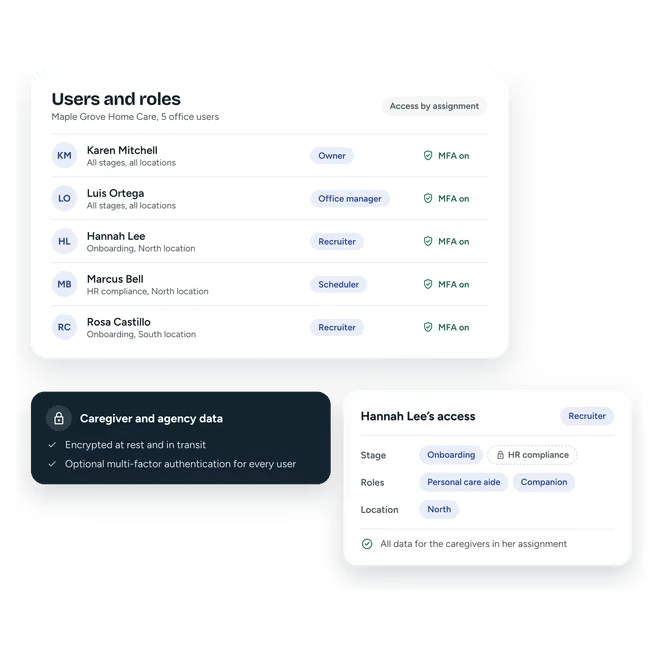
Security
How Homecare Pro protects caregiver records and agency data.
API and MCP questions
The API lets a connected system, such as an ATS, an EMR, or a franchise system, create agencies, build their onboarding and compliance checklists and roles, and add new hires and current caregivers. Homecare Pro then runs onboarding and ongoing compliance and reports progress back.
MCP is an open standard for connecting AI assistants to other systems. Homecare Pro’s MCP server lets an AI assistant look up caregivers, tasks, and compliance in your agency’s Homecare Pro account. It’s read-only, so an assistant can look up data but not change it.
Yes. Recruiting and ATS platforms use the API to send new hires into Homecare Pro onboarding from their own product, so new hires move straight from hiring into onboarding.
The API documentation is public at developers.homecarepro.app. Talk to our team to request credentials for your platform.
Still have questions?
Talk to our team about the API
We’ll walk through the API and MCP server for your platform and set up your credentials.