WellSky caregiver onboarding and HR compliance with Homecare Pro
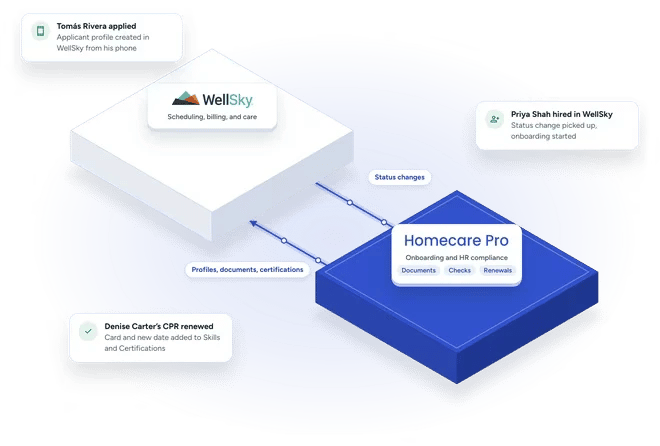
Homecare Pro fulfills onboarding, credentialing, and HR compliance behind WellSky Personal Care: collecting documents, running checks, renewing credentials, and more. Your team keeps running scheduling and care in WellSky, and Homecare Pro keeps WellSky up to date.
What WellSky and Homecare Pro each do
WellSky
Your system for scheduling, client-caregiver matching, visit verification, timekeeping, and billing.
Homecare Pro
Onboarding, credentialing, and HR compliance automation, with the data and documents pushed back into WellSky.
From application to a caregiver ready to schedule in WellSky
Caregivers apply on their phones
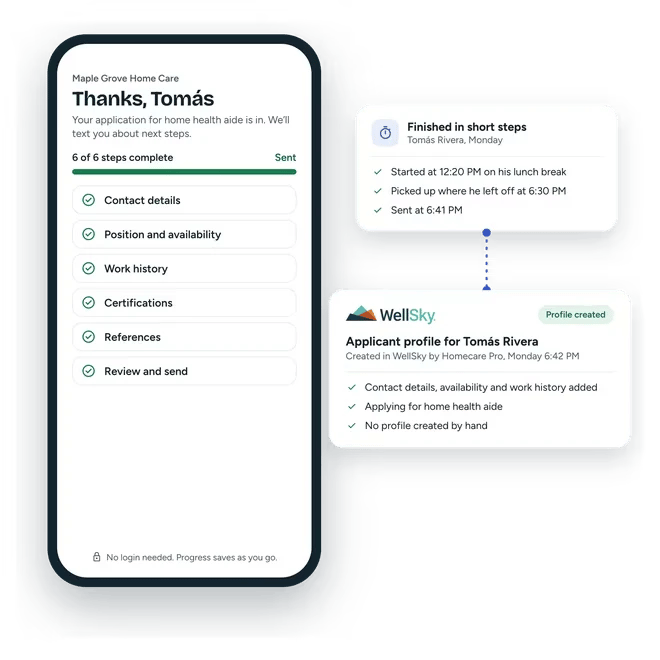
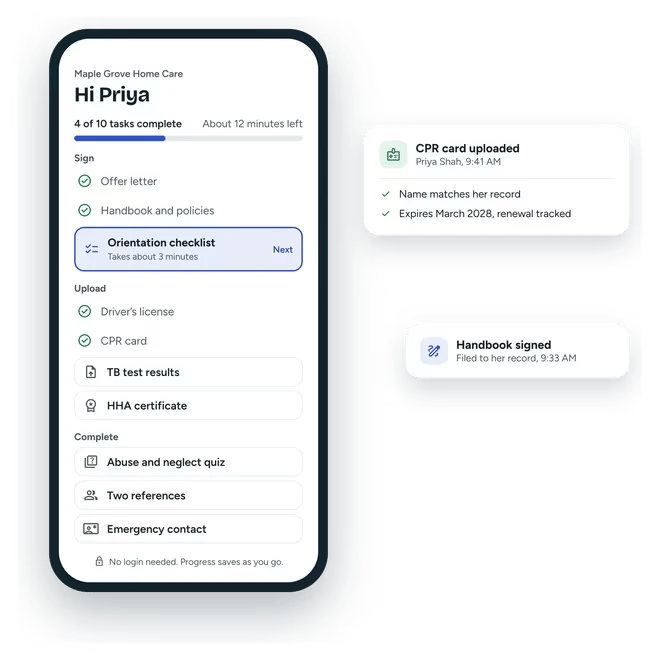
Homecare Pro’s application saves progress in short steps and creates the applicant’s profile in WellSky.
Homecare Pro runs onboarding
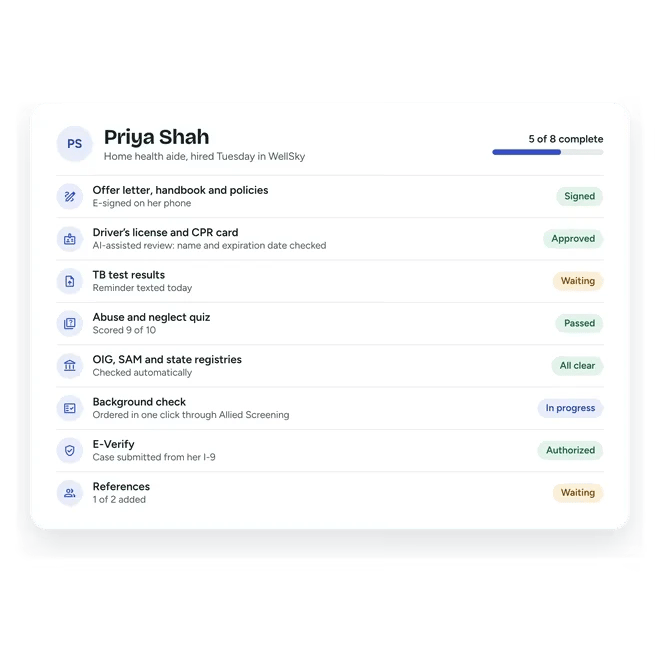
When an applicant is hired in WellSky, Homecare Pro picks up the status change and starts onboarding: collecting credentials, forms, and e-signatures and running checks, while caregivers complete their part on their own time.
WellSky stays up to date
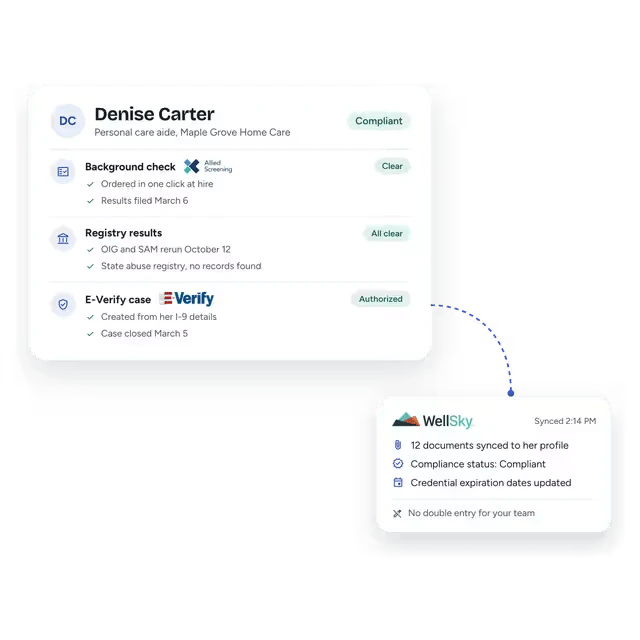
Homecare Pro pushes documents and data back into WellSky, and status changes your team makes in WellSky carry into Homecare Pro.
A mobile application that creates the WellSky applicant profile
WellSky’s application forms run long and are completed in one sitting. Homecare Pro’s application is built for phones, saves progress in short steps, and creates the applicant’s profile in WellSky when it’s complete, so managers don’t create profiles by hand.
- Built for caregivers’ phones
- Progress saved in short steps
- Applicant profile created in WellSky
Onboarding that follows each status change in WellSky
Your team sets each applicant’s status in WellSky, and Homecare Pro picks up every change. When an applicant is hired, Homecare Pro handles every onboarding step: credentials, forms, e-signatures, training, registry checks, references, and more. As caregivers complete steps, Homecare Pro notifies managers when needed and pushes the data back into WellSky.
- Status changes in WellSky picked up automatically
- Every onboarding step handled
- Managers notified only when needed
HR compliance tracked for every caregiver
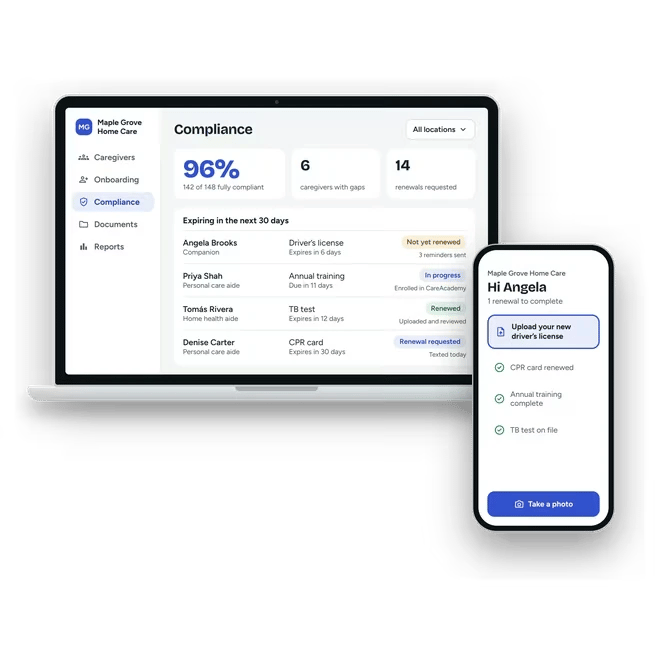
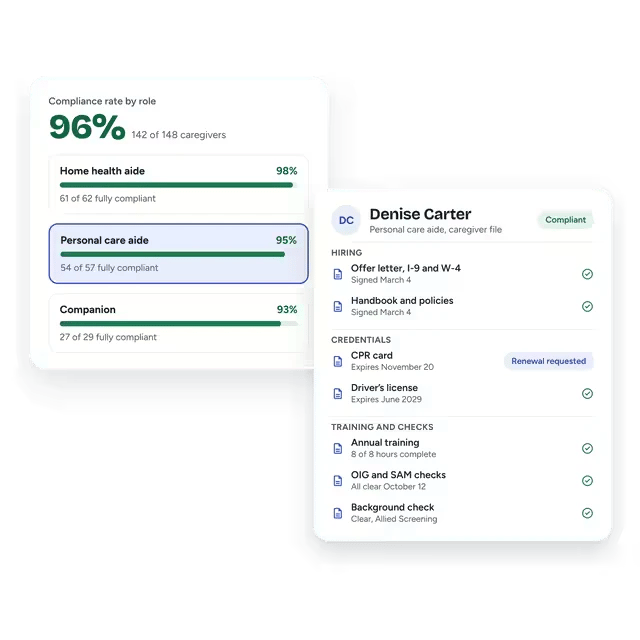
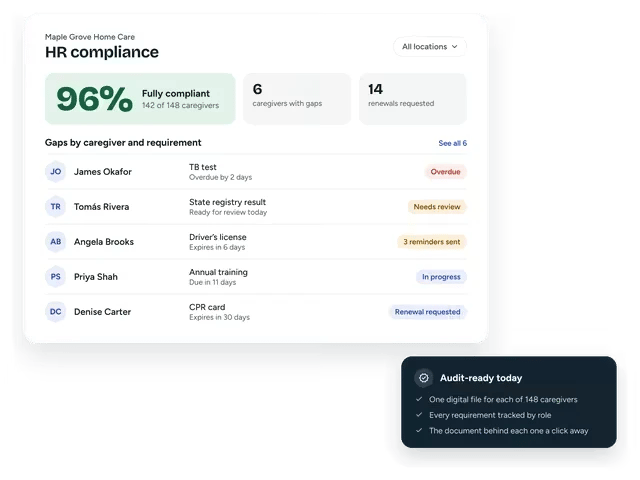
Homecare Pro tracks every caregiver against their own requirements, alerts managers when someone falls out of compliance, and shows compliance status in real time, so your team knows who can be scheduled without keeping a spreadsheet.
- Every caregiver tracked against their requirements
- Alerts when a caregiver falls out of compliance
- Compliance status in real time
Expiring credentials renewed by caregivers
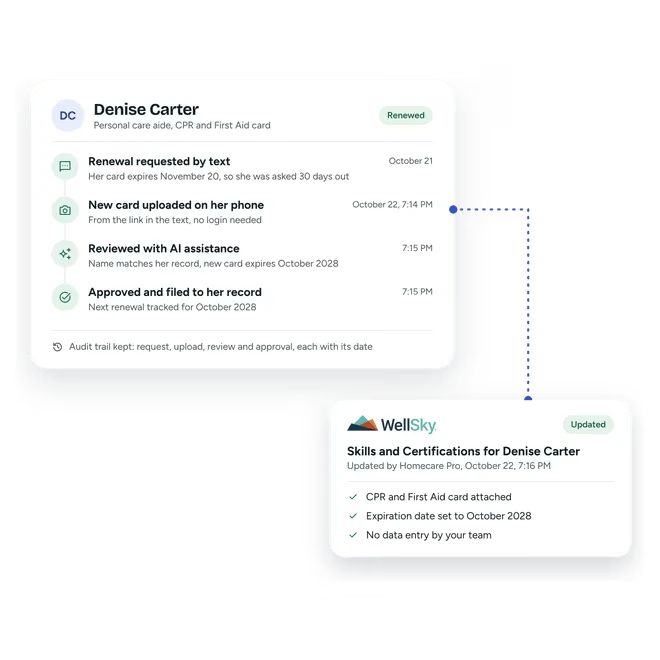
In WellSky’s Skills and Certifications tab, managers enter expirations, follow up for documents, and update records by hand. Homecare Pro maps requirements to each role, tracks every expiration, and asks caregivers for renewals they upload on their phones. Homecare Pro reviews each upload with AI assistance, keeps an audit trail, and updates WellSky’s Skills and Certifications tab automatically.
- Requirements mapped to each role
- Caregivers renew on their phones
- Skills and Certifications updated automatically
Searchable employee files tied to each requirement
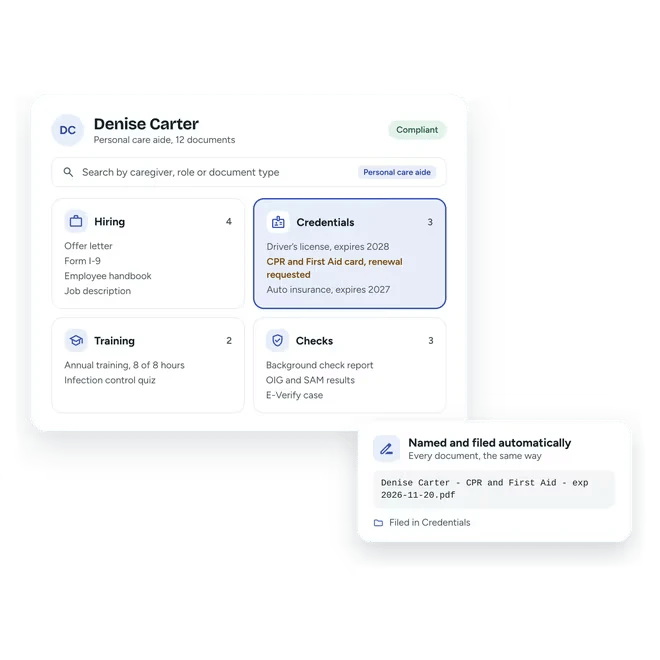
WellSky keeps files inside each caregiver’s profile. Homecare Pro adds a searchable archive of every document, each tied to the requirement it meets, and uploads documents to WellSky automatically, so managers see what’s complete, missing, or expired without opening each profile.
- Documents searchable across caregivers
- Each document tied to a requirement
- Complete, missing, and expired at a glance
Private Home Care runs on WellSky. Homecare Pro took packets and document collection off its recruiters.
- 2×caregiver hires in the first month
- 70%+fewer onboarding and compliance touchpoints

“We’ve automated the work that used to eat our team’s bandwidth. I feel ahead of the curve compared to peers who are still drowning in admin.”
Related pages
WellSky integration
Homecare Pro creates caregiver profiles in WellSky and keeps compliance in sync.
Caregiver onboarding
Caregivers self-serve through onboarding.
HR compliance
Homecare Pro tracks every requirement by role and renews credentials before they lapse.
Homecare Pro and WellSky questions
WellSky runs your scheduling, billing, and care delivery. Homecare Pro does the onboarding, credentialing, and HR compliance work behind it and keeps WellSky up to date, so your team keeps working in WellSky.
Yes. Homecare Pro integrates with WellSky Personal Care, which many agencies still know as ClearCare.
Applicant profiles from Homecare Pro’s application, plus documents, certifications, and compliance data as caregivers complete and renew their requirements. Status works the other way: Homecare Pro picks up status changes from WellSky.
Agencies are typically live in about a week.
Still have questions?
See Homecare Pro with WellSky
In 30 minutes we’ll walk through an application, the onboarding that follows, and how compliance stays in sync with WellSky.