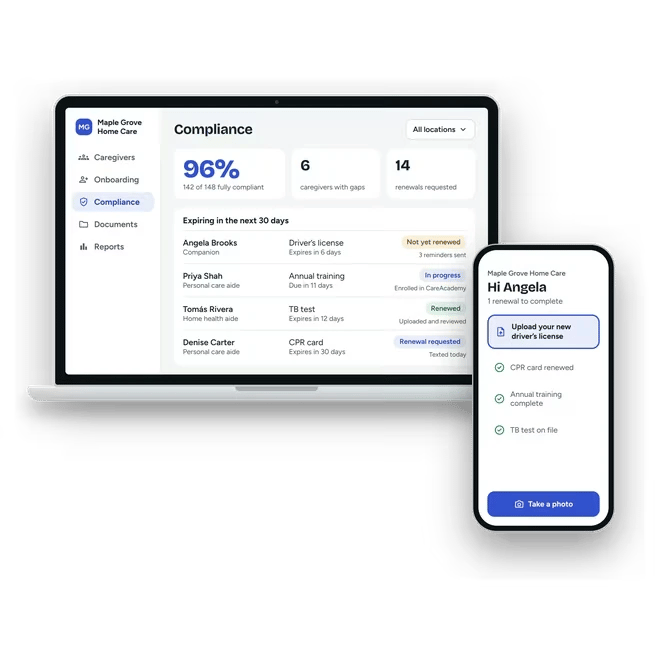
Digital employee files for home care agencies
Homecare Pro keeps one organized file for every caregiver, with each document named, filed, and searchable by caregiver, role, and document type. Caregivers keep their own files current on their phones, so your team stops sorting paper and folders.




of caregiver tasks completed through self-service
documents collected each month at Elite Premier Nursing Services
onboarding and compliance tasks a year
Paper files can’t tell you what’s missing
Caregiver files spread across filing cabinets, email, and shared folders. Finding one document takes a search, and knowing what’s missing takes an audit.
Files in too many places
Signed forms, uploads, and check results end up in cabinets, inboxes, and folders.
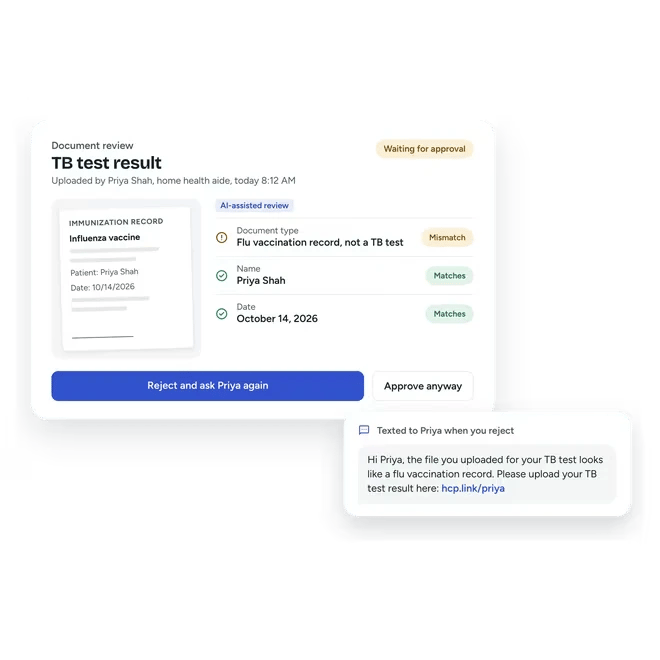
Wrong uploads go unnoticed
A photo of the wrong document is only caught when someone opens the file.
No view of what’s missing
A folder shows what’s there, not what’s expired or never arrived.
One digital file for every caregiver
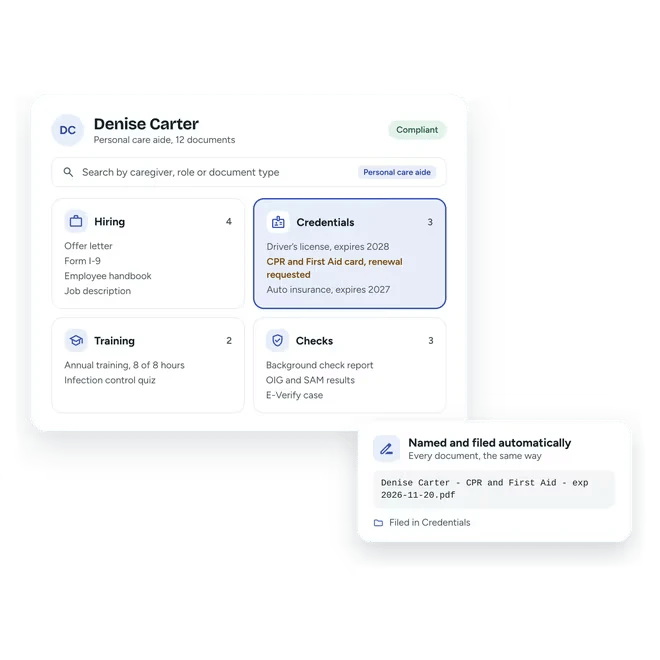
Homecare Pro names and files every document to the caregiver’s record, searchable by caregiver, role, and document type.
- Documents named and filed automatically
- Search by caregiver, role, or document type
- Signed forms and check results in the same file
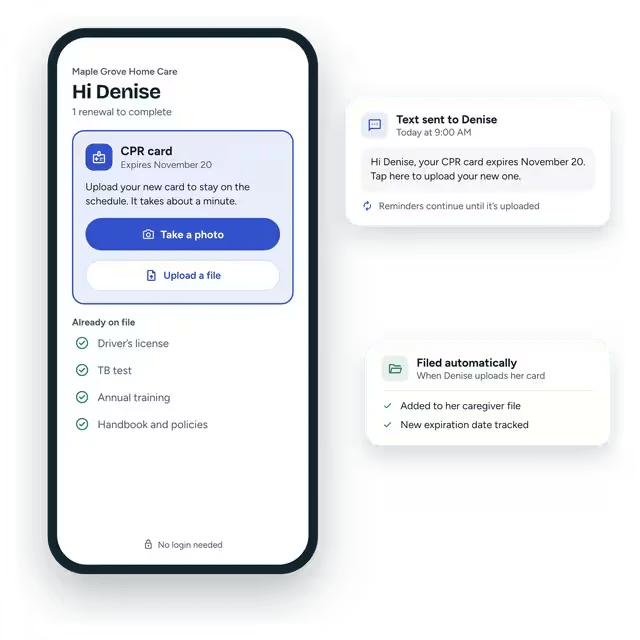
Caregivers keep their own files current
Caregivers upload documents and sign forms on their phones, and Homecare Pro reminds them when a document needs renewing, so files stay current without data entry in the office.
- Uploads from the phone camera
- E-signatures for forms and policies
- Automatic renewal reminders
Uploads reviewed before they’re filed
Homecare Pro reviews uploaded documents with AI assistance and highlights wrong or mismatched files, so your team approves the right document the first time.
- AI-assisted document review
- Approve or reject in one click
- Documents synced to your EMR

“It’s a huge relief knowing we’re automatically collecting the right documents and tracking renewals. We can prove we’re compliant at any time. That mitigates a ton of risk.”
Related solutions

Become audit-ready
Know your compliance rate on any day, with the documents to prove it.

Save my team’s time
Homecare Pro handles document follow-up, so managers can focus on caregivers and clients.

HR compliance
How Homecare Pro tracks every requirement by role and keeps your files audit-ready.
Digital file questions
Every document Homecare Pro collects or creates: IDs, credentials, signed policies, quiz results, check results, references, and more.
Yes. Caregivers upload renewals on their phones, and 92% of caregiver tasks are completed through self-service.
Yes. Homecare Pro syncs caregiver documents and compliance data with AxisCare, WellSky, AlayaCare, and eRSP.
Yes. Every file is searchable by caregiver, role, and document type.
Still have questions?
See digital employee files in Homecare Pro
In 30 minutes we’ll walk through a caregiver’s file, how documents are collected and reviewed, and how they sync to your EMR.